

Blog
Chair Armrest Loose, Cracked or Missing? How to Find and Fit the Right Replacement Part

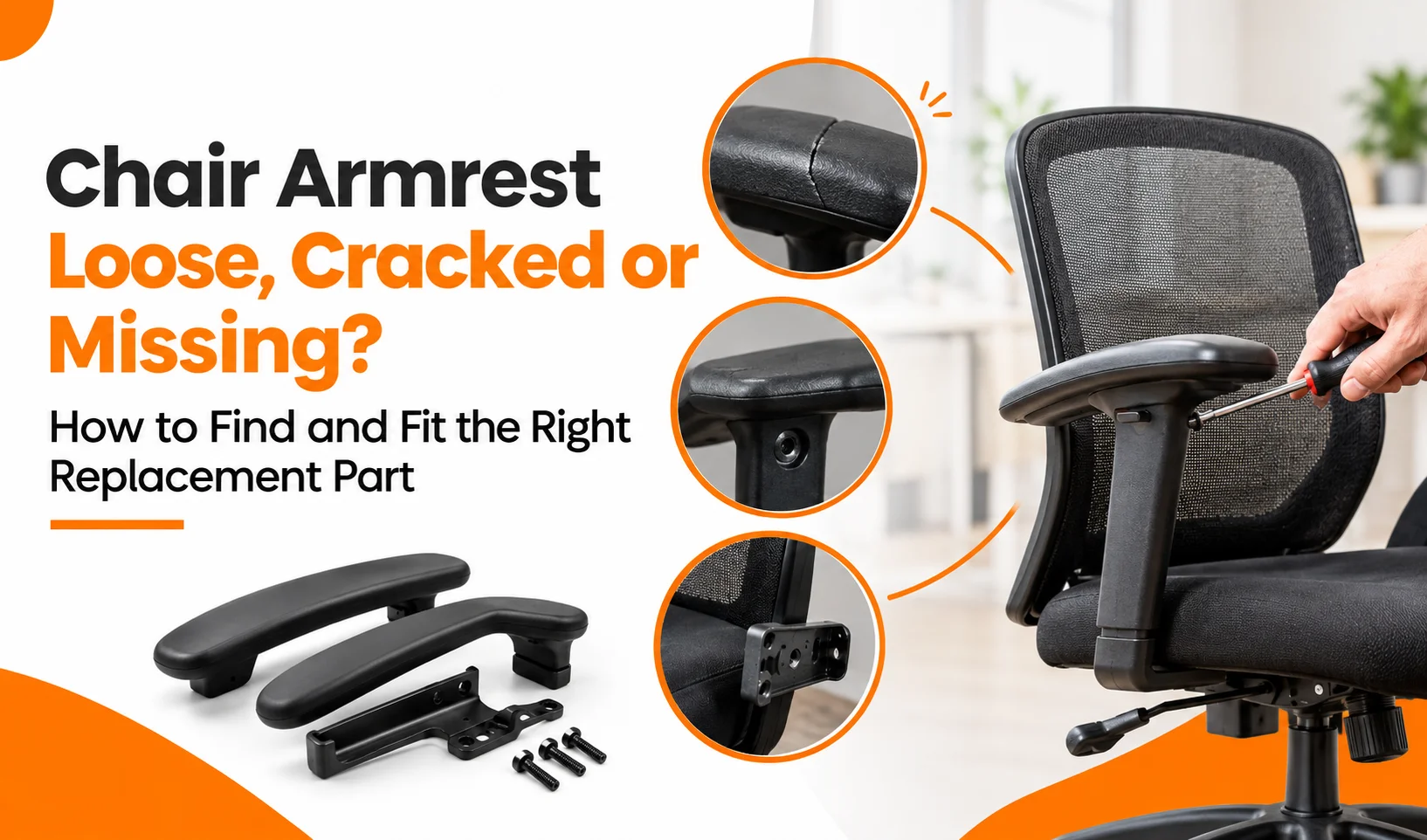
A loose, cracked, or missing chair armrest can make an office chair uncomfortable and unstable, but you may not need a new chair. Start by checking the screws, mounting holes, armrest pad, and support bracket.
Secure loose hardware while the chair remains structurally sound. If the repair cannot restore stability, replace the cracked support, damaged pad, or missing assembly. Before purchasing a replacement, identify the chair model and measure the mounting-hole spacing.
This guide explains how to repair, measure, choose, install, and safely test the right office chair armrest replacement.
How to Fix a Loose Chair Armrest
Start by checking the screws, bolts, mounting holes, and bracket. Gently move the armrest to identify where the movement originates.
If the entire armrest moves where it attaches to the seat, inspect the mounting hardware. If only the upper pad moves, check its attachment. Avoid leaning on an unstable armrest because extra pressure can worsen the damage.
Tighten Loose Screws and Bolts
Tighten the existing hardware first if the screws and mounting points remain in good condition. Place the chair on a stable surface and locate the fasteners under the armrest, seat, or side bracket.
- Choose the correct screwdriver or Allen key.
- Hold the armrest in its normal position.
- Tighten each fastener gradually.
- Check the armrest after each adjustment.
- Stop when the armrest feels secure.
Avoid overtightening because excessive force can damage plastic parts, strip threads, or stress the mounting point.
Check Stripped Mounting Holes
If a screw turns without tightening, inspect the screw, bracket, and threaded mounting point. Replace a damaged screw with compatible hardware of the correct diameter, length, and thread.
If the mounting point can no longer hold the fastener, replace the compatible mount, bracket, or arm assembly. Do not force a larger screw into the joint or rely on improvised repairs for load-bearing connections.
When Should You Repair or Replace a Cracked Chair Armrest?
Minor cosmetic damage may be repairable when the armrest remains structurally sound. Replace a component that has lost strength or stability. The location of the crack matters more than its appearance.
A small crack in a decorative cover may affect appearance, while damage to a mounting bracket, support post, or seat connection can compromise stability.
Repair Minor Armrest Pad Damage
You may be able to repair a small crack in non-structural plastic or replace only the armrest pad when the support underneath remains secure. Check the material before using adhesive and follow the manufacturer’s instructions.
Allow any approved repair to cure fully before using the chair. If the pad has split badly, lost cushioning, or no longer attaches securely, replace it instead.
Replace a Cracked Bracket or Structural Support
Replace the armrest assembly if its bracket, support, mounting point, or another load-bearing component is cracked. Adhesive cannot reliably restore the original strength of a damaged structural component.
Stop using the armrest if it bends, shifts under light pressure, or separates from the chair frame. Inspect the seat frame as well because damage around the mounting area may require a more extensive repair.
How to Find the Right Chair Armrest Replacement
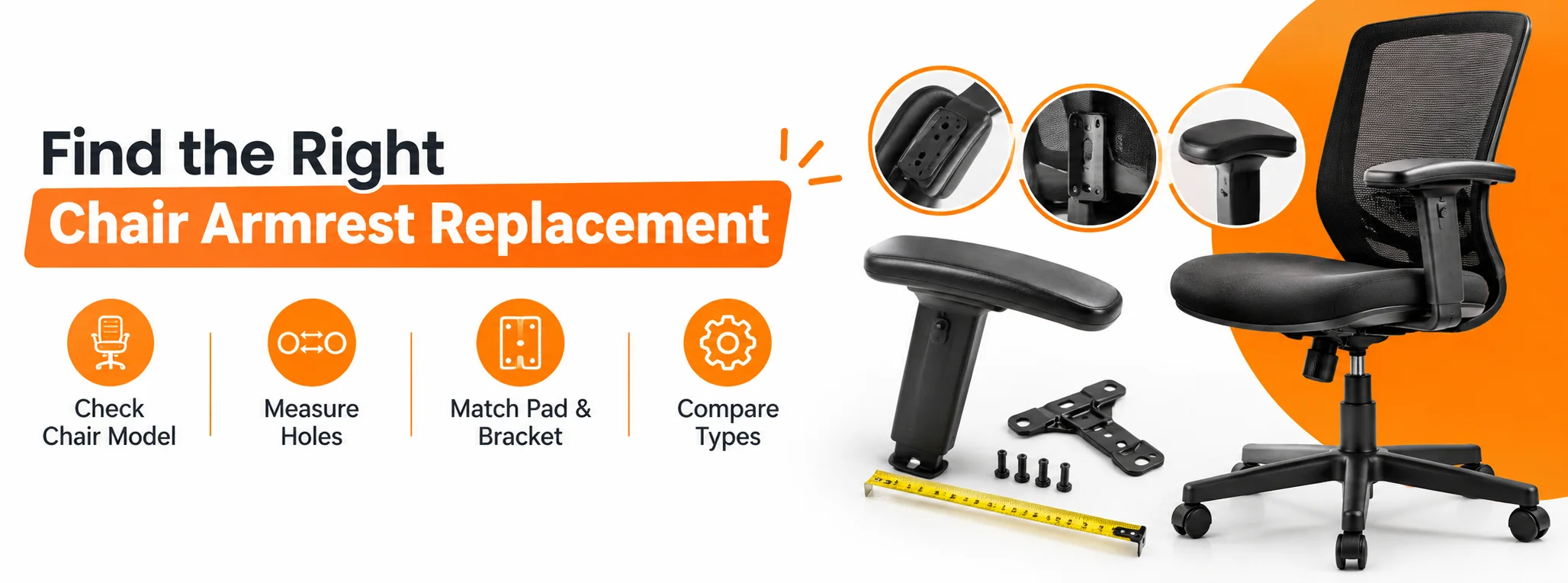
When shopping for chair spare parts, choose a replacement that matches the chair model, mounting pattern, bracket design, dimensions, and hardware. Two armrests may look similar but use different mounting systems.
Manufacturers can use different hole spacing, screw threads, pad sizes, and adjustment mechanisms. Measure the existing component before ordering, particularly when choosing a universal replacement.
Identify Your Chair Brand and Model
Start with the brand and model number to narrow down compatible options. If you use an executive office chair, check the mounting system carefully because dimensions can vary between models.
Look underneath the seat, along the frame, or near the mechanism for a product label. Use the model information to identify the required replacement part.
- Replacement armrest pads
- Left or right arm assemblies
- Fixed armrests
- Adjustable armrests
- Mounting brackets
- Compatible screws and bolts
If the model number is unavailable, take clear photos of the chair, existing armrest, bracket, and mounting area. Share these with the supplier before purchasing.
Measure the Armrest Mounting Holes
Measure mounting-hole spacing from the centre of one hole to the centre of the next. Avoid measuring between the outside edges because this can produce an incorrect measurement.
Record the following details:
- Centre-to-centre hole spacing
- Number of mounting holes
- Pad length and width
- Bracket width and shape
- Screw size and thread, where identifiable
Measure more than once before ordering. Even a small error can prevent the fasteners from aligning correctly.
Check Pad, Bracket, and Hardware Dimensions
Compare the complete mounting system rather than checking hole spacing alone. If you are also inspecting a gas lift chair component, remember that the gas lift and armrest mounting system are separate parts.
For an armrest pad, check its underside shape, mounting holes, clips, recesses, and overall dimensions. For a complete arm assembly, compare:
- Seat mounting points
- Bracket angle and width
- Armrest height
- Left or right orientation
- Adjustment mechanism
- Included screws and bolts
A matching hole pattern does not guarantee compatibility if the bracket angle or underside shape differs.
Compare Universal and Model-Specific Armrests
Choose a universal armrest only when its specifications match your chair. Universal pads may fit common mounting patterns, but complete arm assemblies require more careful comparison.
A model-specific part may simplify installation when you know the exact chair model. For a boss office chair, verify the original specifications before ordering, particularly if the bracket or mounting pattern is distinctive.
Confirm whether the supplier sells one armrest or a pair and whether the package includes mounting hardware.
How to Install a Replacement Chair Armrest
Install the replacement only after confirming that the holes, bracket, and hardware align without force. Keep the old armrest nearby to compare orientation and screw positions.
Remove the Damaged Armrest
- Place the chair on a stable surface.
- Support the old armrest while removing the screws or bolts.
- Take a photo of the original mounting arrangement.
- Keep reusable washers, bolts, and spacers together.
- Inspect the mounting area for cracks, damaged threads, or distortion.
Resolve any structural damage before installing the new component.
Align and Secure the Replacement
Position the new armrest against the mounting points and align every hole before tightening. Start each screw by hand to reduce the risk of cross-threading.
Once the screws are correctly positioned, tighten them gradually and evenly. Never force a screw through a misaligned hole or enlarge mounting points simply to make an incompatible part fit.
Test the Armrest Before Use
Check stability before placing normal body weight on the replacement. Move the armrest gently from side to side and test any height, angle, pivot, or width adjustments.
The armrest should remain secure without wobbling or shifting. If movement continues, stop and recheck the fasteners, bracket alignment, and part compatibility.
Chair Armrest Replacement Checklist Before Buying
Use this checklist before ordering a replacement to reduce compatibility issues and unnecessary returns.
- Identify the chair brand and model.
- Decide whether you need a pad or a complete arm assembly.
- Measure mounting holes centre to centre.
- Record the pad length and width.
- Compare bracket shape and mounting points.
- Check screw size and thread.
- Confirm left, right, or universal orientation.
- Check compatibility with fixed or adjustable armrests.
- Confirm whether the part is sold individually or as a pair.
- Check whether mounting hardware is included.
- Review the supplier’s compatibility and return policy.
If you are unsure about compatibility, send the supplier your measurements and clear photos before placing your order.
Looking for a Comfortable Office Chair?
A damaged armrest does not always mean you need a new chair. But if your chair is unstable, uncomfortable, or beyond economical repair, explore suitable seating options at Decor Dreamland.
Find an office chair that matches your workspace, comfort preferences, and everyday requirements.
Call Now!Conclusion
A loose or damaged chair armrest does not always require a new chair. Tighten secure mounting hardware first, replace damaged structural components when necessary, and measure carefully before purchasing a replacement.
For the best fit, match the chair model, mounting-hole spacing, bracket shape, pad dimensions, and hardware instead of relying on appearance alone. Test the armrest after installation and before regular use.
A compatible replacement should attach securely, remain stable, and restore comfortable support without forcing modifications to the chair.